
分步教程
How to Edit XLSX, DOCX, and PPTX Online Without Installing Office Software
Edit Excel, Word, and PowerPoint files in the browser with GridCraft, WordCraft, and DeckCraft — WebAssembly editors, privacy notes, and step-by-step workflows without installing Microsoft Office.
更新于 2026-10-16
按下列步骤操作,然后打开真实应用完成任务。
Open GridCraft OnlineAnswer in one minute
You can edit XLSX, DOCX, and PPTX in a modern browser without installing Microsoft Office:
- Spreadsheets → GridCraft Online
- Word documents → WordCraft Online
- Presentations → DeckCraft Online
Open a file with the browser picker, edit in the WASM editor, then download/export. Office Craft editing is free on ArtCraft AI Online. Optional AI Copilot (Pro, 1 credit per message) can run allowlisted engine commands when the host bridge is connected.
Why people still install Office — and when they do not need to
Desktop Office suites are powerful, but they are also heavy: large installers, license friction, IT approval delays, and machines that simply do not have Excel or Word. Common situations:
- A contractor receives an
.xlsxon a Chromebook or locked company laptop - A founder needs to tweak a pitch deck on a café machine
- A seller wants a quick DOCX rewrite without buying a full desktop suite
Browser editors will not replace every enterprise macro workbook tomorrow. They do solve the “open, fix, export” loop for a large share of day-to-day files — if the product is honest about Alpha limits.
How WebAssembly editors change the model
Traditional “online Office” often meant: upload file → edit on a vendor server → download. That can be fine for drafts; it is a problem for contracts and customer lists.
ArtCraft’s Craft apps take a different primary path:
| App | File types (typical) | Where editing runs |
| --- | --- | --- |
| GridCraft | .xlsx and related workbook formats the web build accepts | Browser WASM |
| WordCraft | .docx and related document formats | Browser WASM |
| DeckCraft | .pptx and related deck formats | Browser WASM |
You still load the ArtCraft website over HTTPS. The important claim is about document payload handling in the editor: open/save use local pickers and downloads; we do not market a silent “upload everything to our Office cloud” path for these Craft tools.
Optional Copilot is separate: it may send tool results (cell text, selection text, inspect summaries) to the model after you chat — not a hidden full-file mirror. See the Privacy Policy.
Step-by-step: edit an XLSX without Excel
1. Open GridCraft
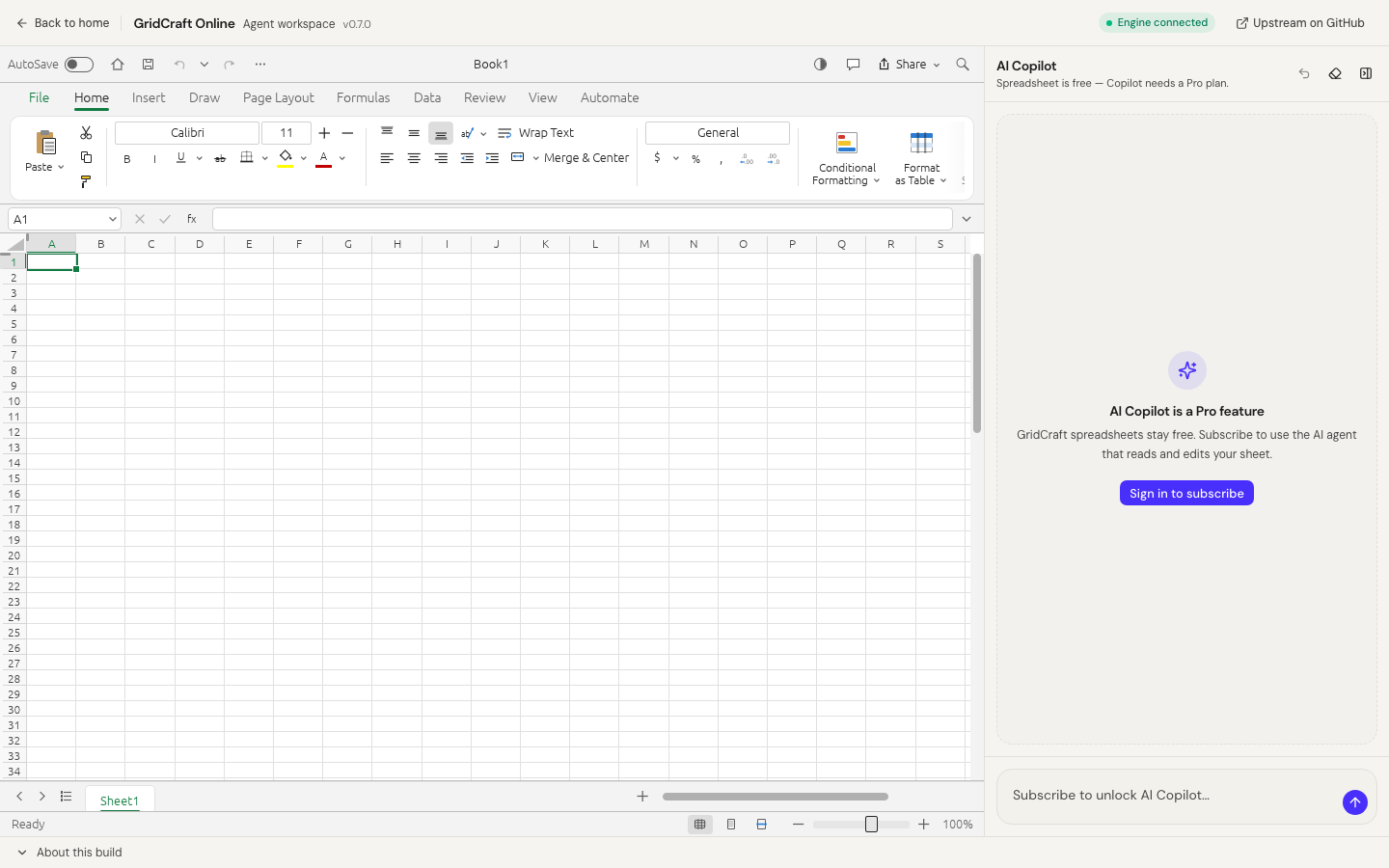
Go to GridCraft Online and wait for the engine / “Engine connected” status when Copilot bridge is available.
2. Import the workbook
Use the editor’s file open UI to pick an .xlsx from your device. Prefer a desktop Chrome, Firefox, or Safari with WebGPU/WebGL2 available if the build asks for it.
3. Edit safely
- Confirm headers, number formats, and a few critical formulas
- Keep a copy of the original file until you verify the export
- Treat Alpha compatibility as “verify before board meeting,” not “pixel-perfect Excel forever”
4. Export / download
Save or export from the editor so you get a file back on disk. Re-open the export once if the file is important.
Deeper guide: Open an XLSX online without Excel. CSV users can also convert CSV to XLSX.
Step-by-step: edit a DOCX without Word
1. Open WordCraft
Visit WordCraft Online.
2. Open the document
Import a .docx. Check fonts and pagination — web Alpha layouts can differ from desktop Word.
3. Rewrite with or without Copilot
- Manual edits stay free
- Pro Copilot can propose selection rewrites via allowlisted commands; confirm mutating steps; undo if needed (1 credit per message you send)
More detail: Open DOCX online without Word and Rewrite DOCX with AI agent.
Step-by-step: edit a PPTX without PowerPoint
Use DeckCraft Online the same way: open → edit slides → export. For outline-first workflows, see Create a presentation with AI agent.
Privacy split vs PhotoCraft
Craft office editors are not the same as PhotoCraft AI image tools. Background removal and scene generation upload images to cloud inference. Do not mix those mental models: a private spreadsheet workflow and a cloud cutout workflow have different trust boundaries. Overview: Edit spreadsheets and remove backgrounds in the browser.
Practical checklist before you trust a file
- Keep the original until the export re-opens cleanly
- Spot-check formulas, fonts, and slide layout
- Prefer PdfCraft for PDF merge privacy (guide) instead of converting everything through unknown upload sites
- Use Copilot only when you accept tool-result text leaving the browser
When to stay on desktop Office anyway
Keep native Excel/Word/PowerPoint when you need:
- Heavy VBA macros or proprietary add-ins
- Pixel-perfect print layouts for regulated filings
- Enterprise DRM that only desktop clients unlock
ArtCraft browser editors are for the common open → fix → export loop. Use the right tool for the risk level of the file.
Recommended first week on ArtCraft office tools
Day 1: open one non-critical XLSX in GridCraft; export; diff formulas you care about.
Day 2: open one DOCX in WordCraft; rewrite a paragraph; export.
Day 3: merge two public PDFs in PdfCraft.
Day 4: only then try Copilot on a disposable sheet (Pro + 1 credit/message).
Day 5: write your team SOP: which files stay desktop-only.
That week prevents “we moved payroll to Alpha web on day one” disasters.
FAQ
Is this a full Microsoft 365 replacement?
No. It is a browser suite for common open/edit/export jobs plus optional Copilot. Enterprise macros, proprietary plugins, and perfect layout parity are out of scope for Alpha web builds.
Do I need to pay to edit XLSX or DOCX?
Spreadsheet, document, and deck editing on ArtCraft AI Online is free. Copilot requires Pro and uses credits. PhotoCraft HD image exports use credits separately.
Will my files be stored on your servers?
Craft open/save paths are designed around browser pickers and downloads. Account data for sign-in/billing is stored as described in the Privacy Policy. PhotoCraft jobs upload images for inference. Always read the tool-specific disclosure on the page you use.
What browsers work best?
Prefer a recent desktop Chrome, Firefox, or Safari. Some WASM editors need WebGPU or WebGL2; troubleshooting flags like ?webgl or ?cpu may appear in app notes when relevant.
常见问题
- Is this a full Microsoft 365 replacement?
- No. It covers common open/edit/export jobs. AI Copilot is currently available for GridCraft only. Treat Alpha web builds as verify-before-critical-use.
- Do I pay to edit spreadsheets or documents?
- Craft office editing is free. GridCraft AI Copilot needs Pro (1 credit per message). PhotoCraft HD is separate.
- Do workbook bytes leave my computer?
- Open/save use browser pickers and downloads. On GridCraft, Copilot may send tool results (cell text), not a silent whole-file cloud Office upload.
相关教程
独立在线服务。与 Microsoft Excel / Word / PowerPoint 及官方 ArtCraft 桌面套件无关联。