
分步教程
Master AI Background Removal and Product Scene Generation in 2026
A practical 2026 guide to AI background removal and product photography: shoot prep, rembg edges (shoes, glass), white packs, scenes, credits, and privacy vs local PDF tools.
更新于 2026-10-16
按下列步骤操作,然后打开真实应用完成任务。
Open Background RemoverAnswer in one minute
For ecommerce product photography in 2026, a practical ArtCraft workflow is:
- Cut the subject with Background Remover (free preview where offered; HD uses credits)
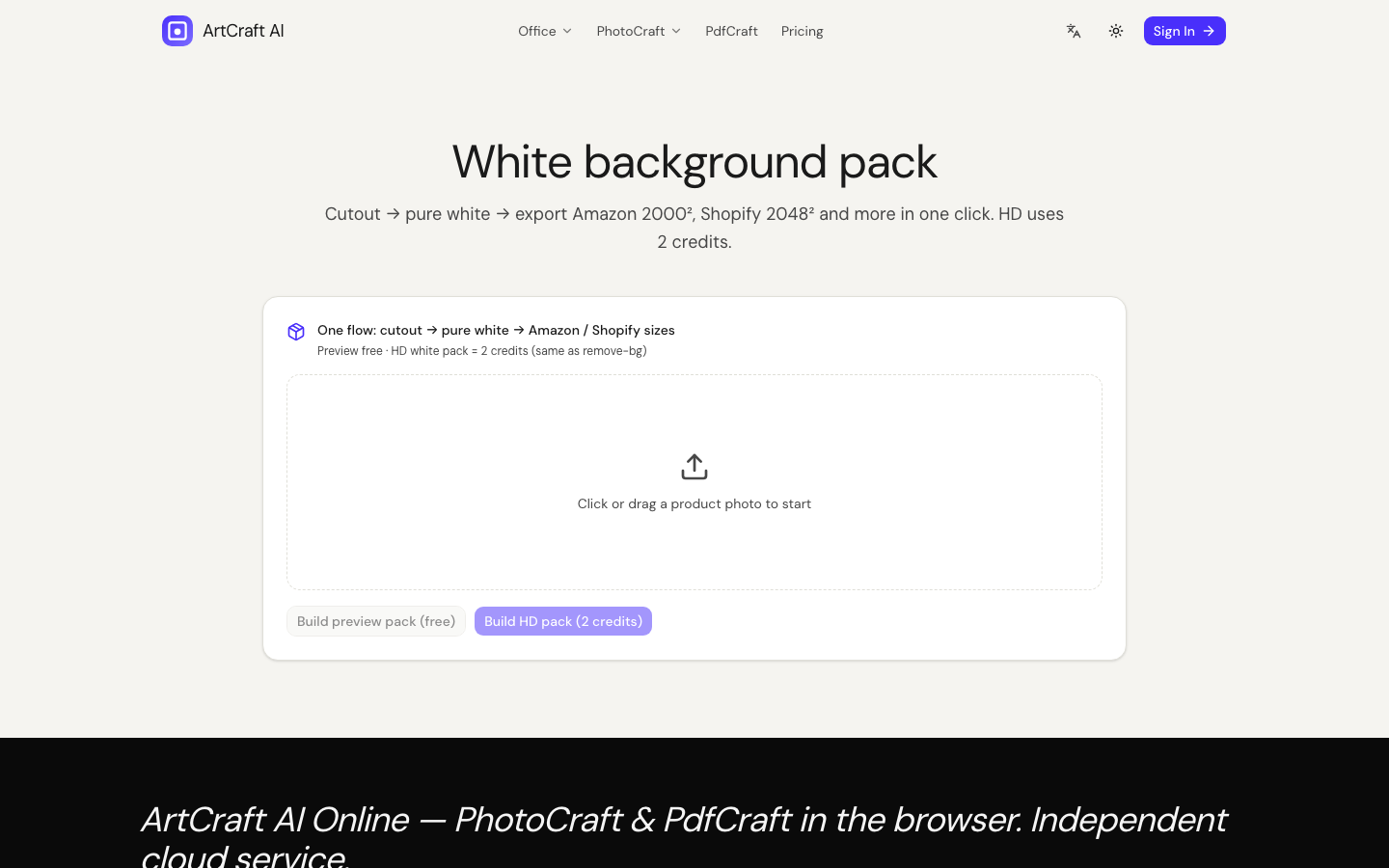
- Ship a clean white listing pack with the White Background Pack
- Optional scene / generate / upscale when you need lifestyle context or larger assets
- Use PhotoCraft Online Editor when you need layered local edits — separate from cloud rembg
This guide explains why edges fail, how to prepare inputs, and how to stay honest about cloud AI costs and privacy.
What “AI background removal” actually does
Modern removers estimate a subject mask, then output a transparent PNG (or a composite on white/scene). They shine on:
- Apparel and bags with reasonably clear silhouettes
- Bottles and boxes on simple backdrops
- Catalog shoots with even lighting
They struggle with:
- Fine hair, mesh, or translucent glass without careful prompting/cleanup
- Low contrast subject-on-background (black shoe on black table)
- Heavy compression and tiny thumbnails
ArtCraft’s PhotoCraft cloud tools send images to an inference provider (currently Fal) for HD jobs. That is not the same as PdfCraft’s local PDF merge. Say it out loud when you write listing SOPs.
Commercial use cases that pay for themselves
| Use case | Typical ArtCraft path | Notes | | --- | --- | --- | | Marketplace white background | Remover → White pack | Match marketplace “pure white” rules; verify export | | Lifestyle ad creative | Remover → scene / generate | Iterate prompts; keep brand colors consistent | | Zoom / detail crop | Remover → upscale | Upscale after cutout if the subject is small | | Local cleanup | PhotoCraft editor | Brush/layer edits; Copilot optional (Pro) |
Related deep dives:
Prepare the shoot (before you open the tool)
- Light the edges. Soft side light reduces crushed blacks and halos.
- Separate subject from backdrop in camera when you can — even a cheap paper sweep helps models.
- Export a large JPEG/PNG. Do not start from a 400px marketplace thumbnail if you still have the original.
- One hero subject per frame for first-pass rembg; complex group shots need more QA.
Step-by-step: rembg on ArtCraft
1. Open Background Remover
Go to Background Remover. Upload a product photo.
2. Run preview first (when available)
Use free weekly preview where offered (region rules may apply) to check hair, straps, and glass. If the mask fails, fix lighting/crop before spending HD credits.
3. Export HD when ready
HD cutouts consume credits (see Pricing / Credits settings — currently 2 credits for rembg HD on the pack math). Download the transparent PNG and archive the original.
4. White pack for listings
Open White Background Pack to composite a marketplace-friendly white plate. Re-check that the canvas is truly white (#FFFFFF) if the channel requires it.
Hard edges: shoes, bottles, and straps
Shoes and straps
Mesh sneakers and thin straps often leave “ghost” pixels. Workflow:
- Crop tighter so the model spends capacity on the subject
- Re-run rembg after a slight exposure lift on crushed blacks
- If a small fringe remains, finish in PhotoCraft Online or a local editor
Glass bottles
Transparency confuses masks. Prefer a contrasting backdrop in the source photo. Accept that some glass will need manual cleanup — do not promise “perfect refractive glass every time” in your SOPs.
Soft shadows
Marketplace white often wants no cast shadow or a controlled reflection. Decide the rule before you batch: pure cutout vs soft contact shadow.
Scene generation vs real photos
AI scenes are useful for mood boards and ads. They are weaker as “documentary product truth.” For regulated claims (materials, scale, medical devices), prefer real photography and only use rembg/white pack.
If you generate or inpaint, keep prompts specific (“soft daylight studio, marble table, no logo text”) and verify faces/brands are not invented incorrectly.
Credits, previews, and unit economics (operator view)
ArtCraft separates:
- Preview — limited free tries (where enabled)
- HD — credit-priced exports tied to provider COGS
- Craft Copilot — Pro + 1 credit per message you send (office/image editors), unrelated to rembg credits
Always check the live Pricing / tool CTA for current numbers.
Privacy reminder
PhotoCraft AI tools upload images for inference. Do not paste IDs, faces you are not allowed to process, or confidential packaging proofs into rembg unless your process allows cloud processing. For private PDFs, use PdfCraft instead.
Batch SOP for a 50-SKU catalog
- Standardize shoot distance and light for the whole batch.
- Run rembg preview on 3 hard cases (mesh, glass, dark-on-dark) before burning HD credits on all 50.
- White-pack only the SKUs that pass QA.
- Archive originals + HD PNGs with SKU filenames.
Automation without a QA gate multiplies bad masks.
Publishing checklist after white pack
- Corner sample is #FFFFFF
- Product not clipped by theme crop
- Filename includes SKU
- Original archived
- Lifestyle variants stored separately from the main plate
Skip any of those and marketplace tickets rise.
FAQ
Is background removal free?
Limited free previews may be available. HD exports use credits. Exact counts are on the tool page and Credits settings.
Can I open PSD layers online?
PhotoCraft Online ships a WASM editor for supported formats; treat layered PSD as Alpha — always re-open exports. Cloud rembg is a different product path than full Photoshop parity.
Does ArtCraft store my product photos forever?
Job handling follows the Privacy Policy and retention practices for AI tasks/storage. Prefer downloading results and deleting local originals from shared machines when done.
What should I try if the mask is bad?
Better source photo first (light, contrast, resolution). Then preview again. Then HD. Then local cleanup — not endless HD retries on a bad input.
常见问题
- Is background removal free?
- Limited free previews may apply. HD exports use credits — check the tool page for live prices.
- Are images processed locally?
- PhotoCraft AI rembg/scene/generate paths upload for cloud inference. PdfCraft PDF merge is a separate client-side path.
- What if the mask fails on shoes or glass?
- Improve lighting and resolution first, re-preview, then finish fringe cleanup in the PhotoCraft editor if needed.
相关教程
独立在线服务。与 Microsoft Excel / Word / PowerPoint 及官方 ArtCraft 桌面套件无关联。